
Nilly Graphics / A closer look
The ProofRoom.
From a visual identity
to a working product.
Explore the interfaces, the decisions and the detail behind Synoiko — the building-management SaaS I design and develop.
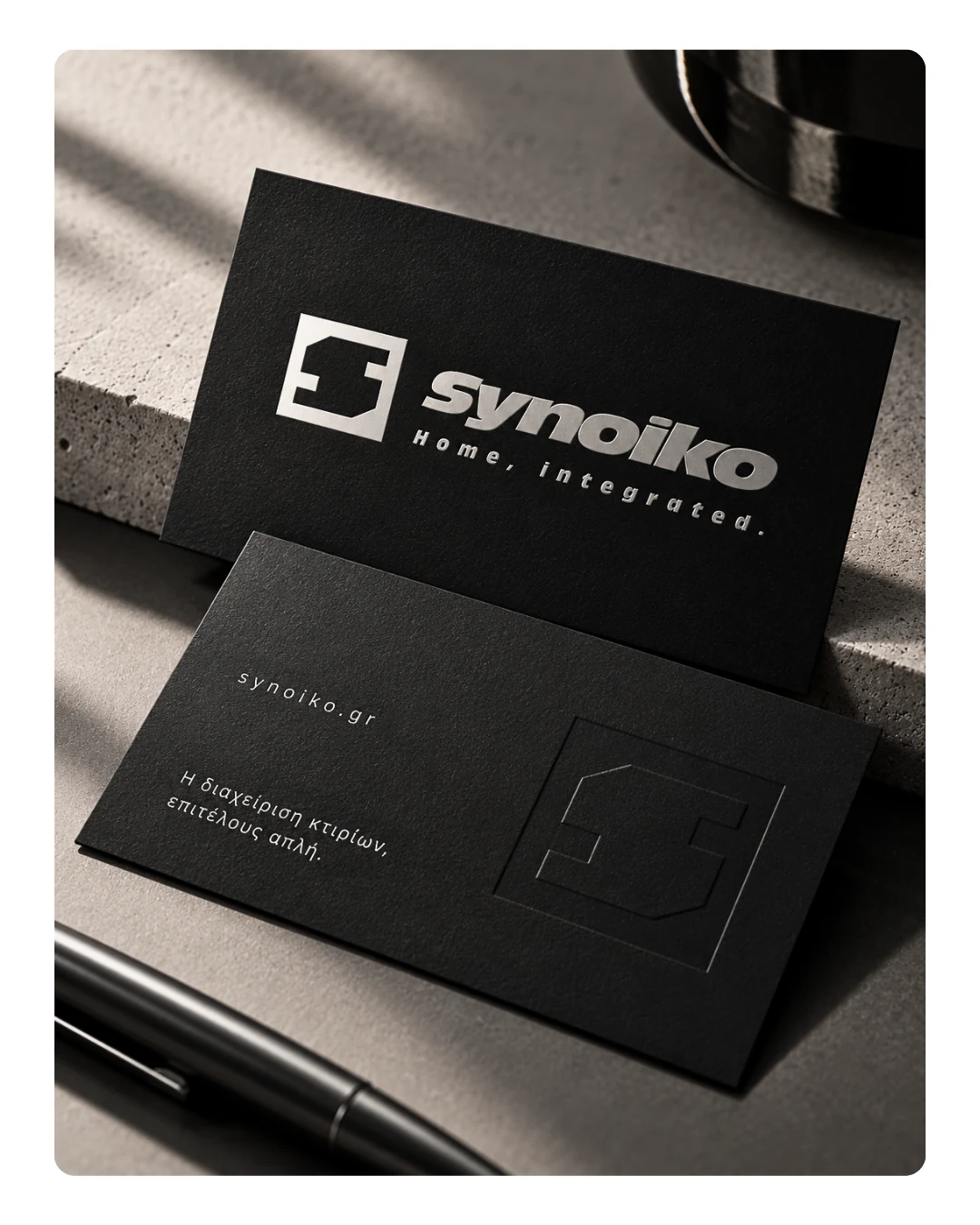
01 / Real product, real thinking
One product.
Different responsibilities.
Synoiko brings building-management work into connected digital workspaces. The design challenge: keep buildings, people, charges and daily tasks understandable for the person using each interface.
The office perspective
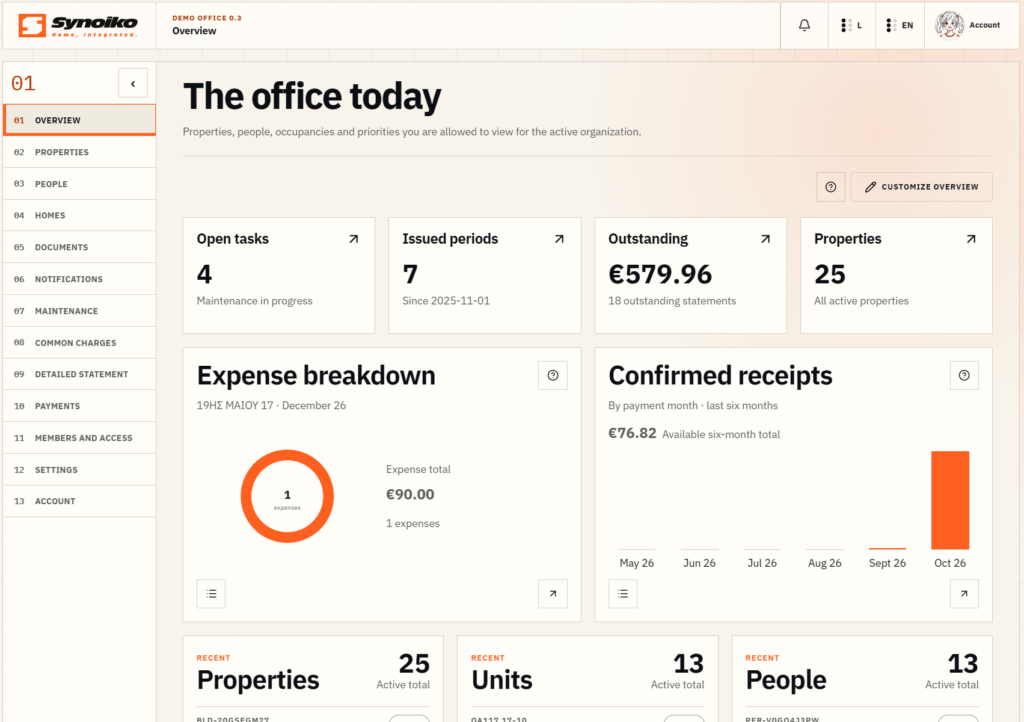
The office perspective
Start with the day’s work.
- 01Keep the workspace visible.The active organisation and persistent navigation establish where the user is working.
- 02Bring key figures together.Open tasks, issued periods, outstanding balances and properties give the office a compact overview.
- 03Separate summary from detail.Expense breakdown and confirmed receipts sit below the headline figures, with buildings, units and people in distinct groups.
The resident perspective
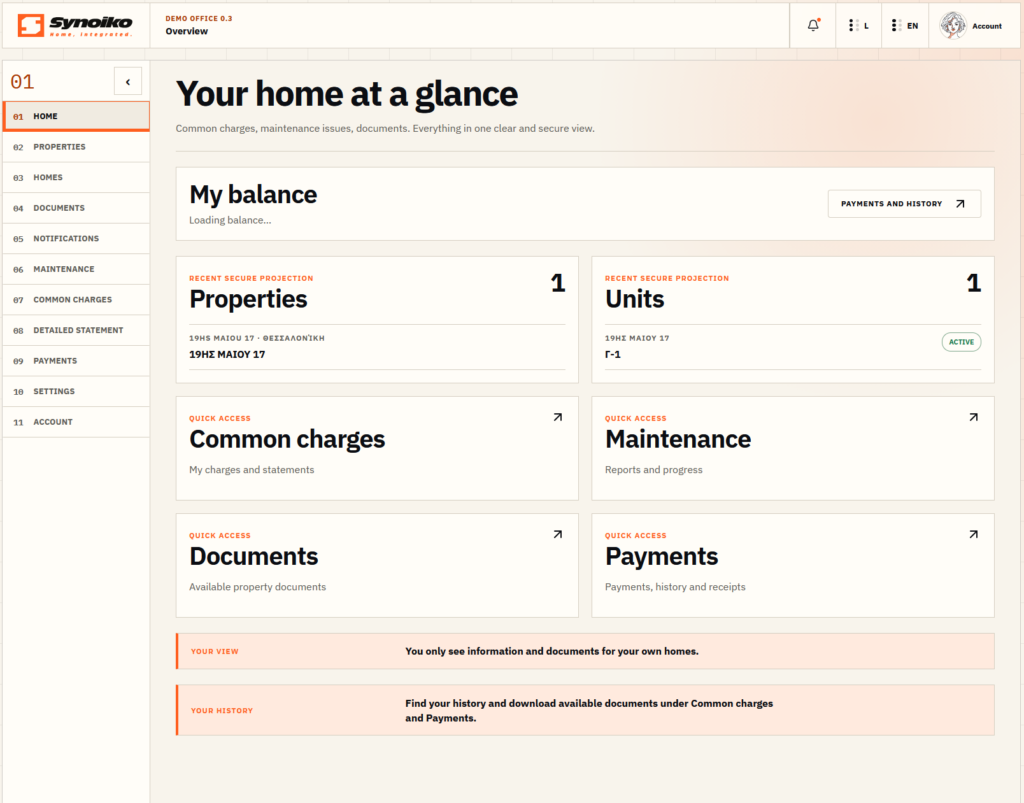
The resident perspective
A personal view of the building.
- 01Use a familiar starting point.The resident’s balance and connected home establish the context before the everyday actions.
- 02Group personal information clearly.Properties, units, common charges, maintenance, documents and payments have distinct entry points.
- 03Keep the next step visible.Short contextual notes point to home information and shared documents without competing with the main overview.
The building manager perspective
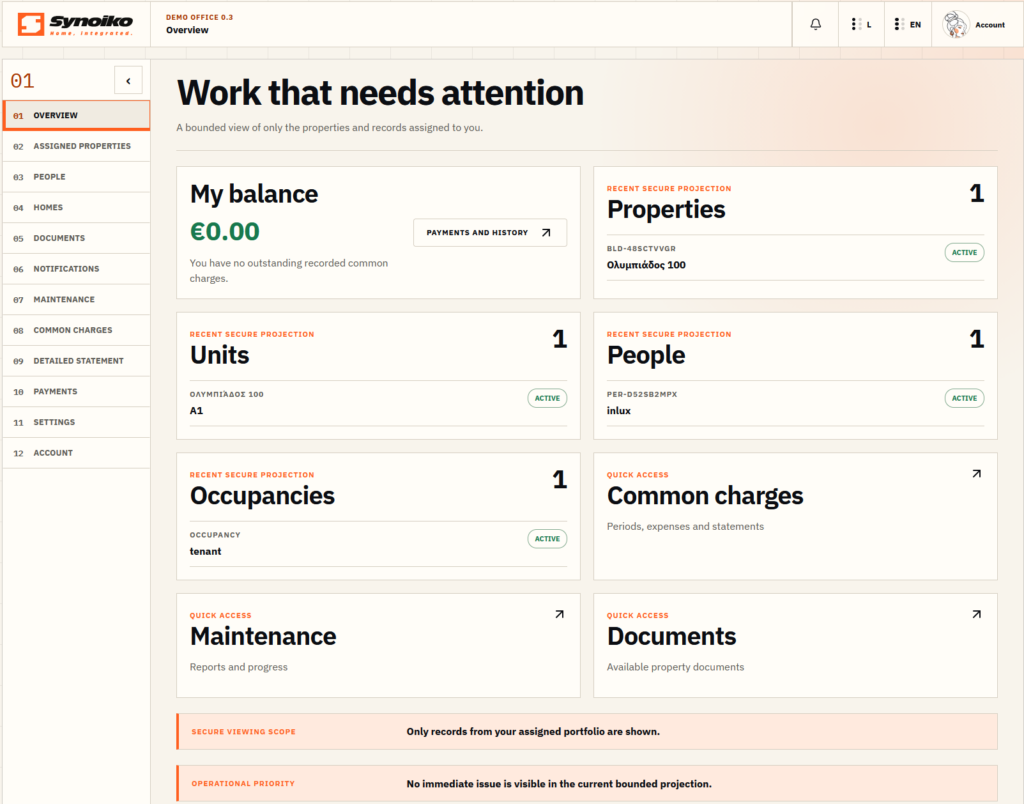
The building manager perspective
The building, organised around responsibility.
- 01Establish the building context.Balance, properties and units make the manager’s area of responsibility visible at a glance.
- 02Connect people with daily work.People and occupancies sit alongside common charges, maintenance and documents.
- 03Keep a shared interface language.The same navigation rhythm, labels and orange accent connect the manager’s view with the rest of the product.
The CRM perspective
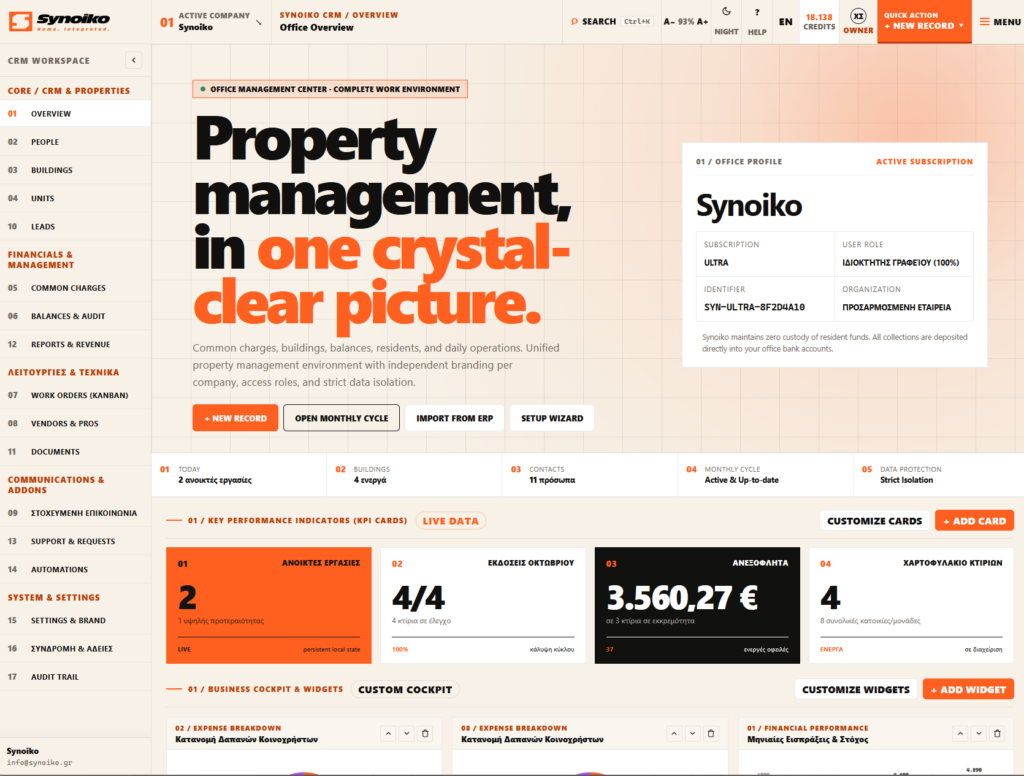
The CRM perspective
A wider operational picture.
- 01Organise density into groups.Navigation separates records, financial work, technical operations and communication.
- 02Keep the next action close.Record creation and the monthly cycle sit near the overview instead of disappearing into deeper navigation.
- 03Maintain a clear visual rhythm.Numbered sections, fine rules and a restrained orange accent organise the information-rich workspace.
The administration perspective
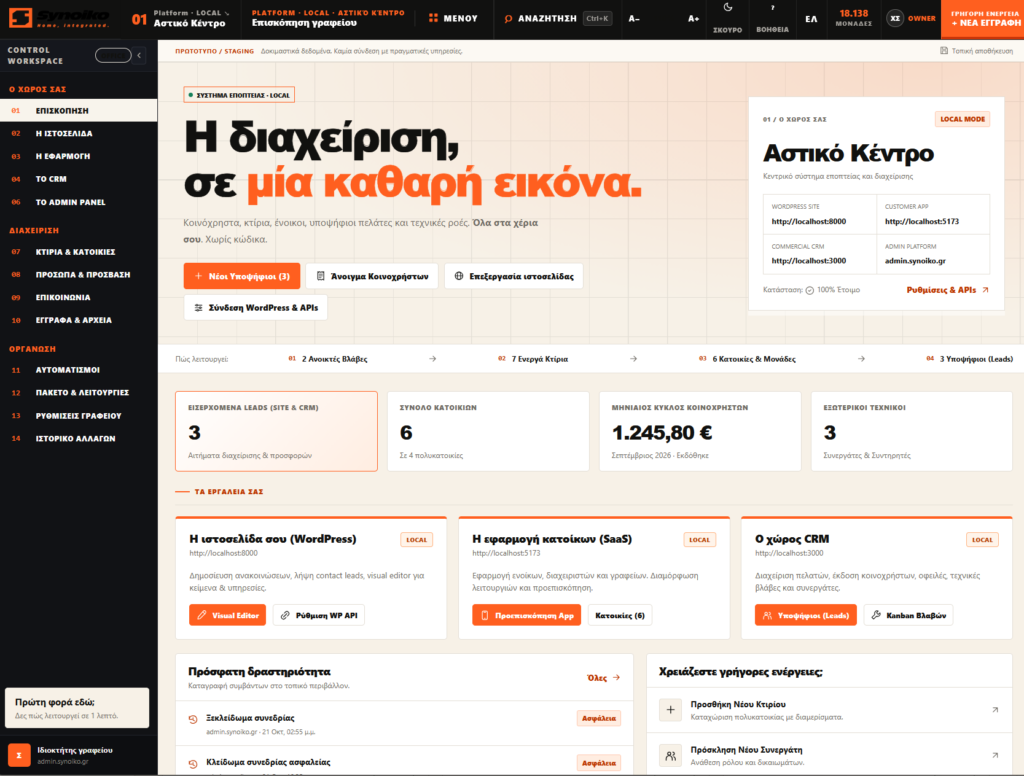
Greek interface · The English screenshot is not available yet.
The administration perspective
An overview above the individual workspace.
- 01Separate administration from daily use.The administration workspace brings platform-level navigation and management actions into one place.
- 02Make the structure legible.Numbered groups organise the denser navigation, while the main area separates summaries from system sections.
- 03Give operational status a place.Management tools and status information have dedicated areas rather than competing with the primary overview.
Mobile / Android prototypes
The same product.
A smaller canvas.
Three role-based mobile design prototypes, under development. Greek interface in both language versions; English screenshots will follow.
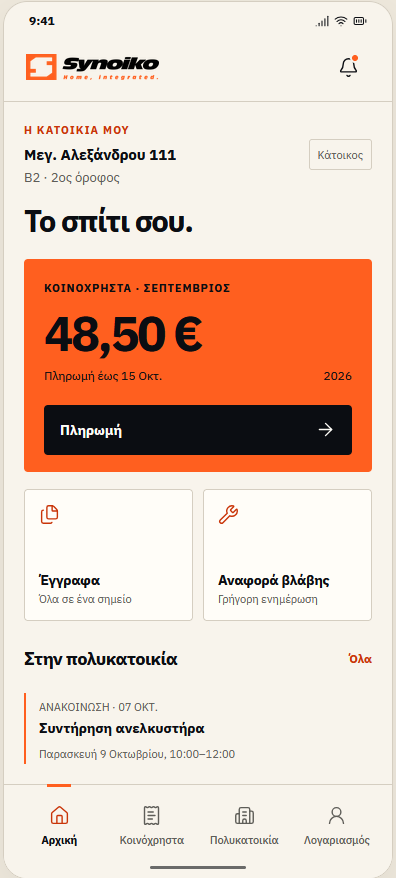
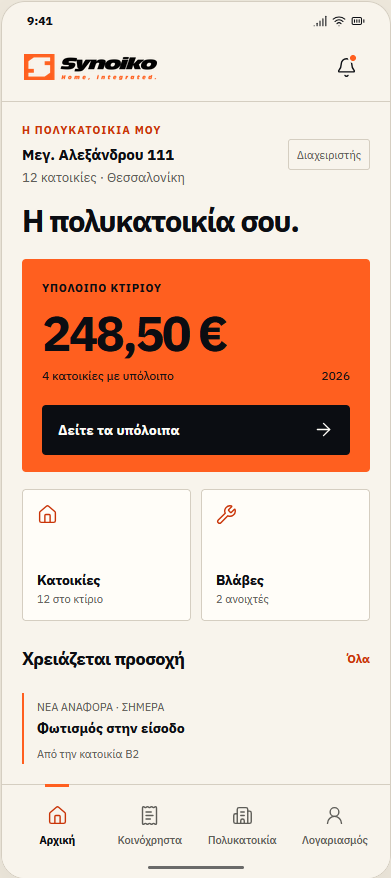
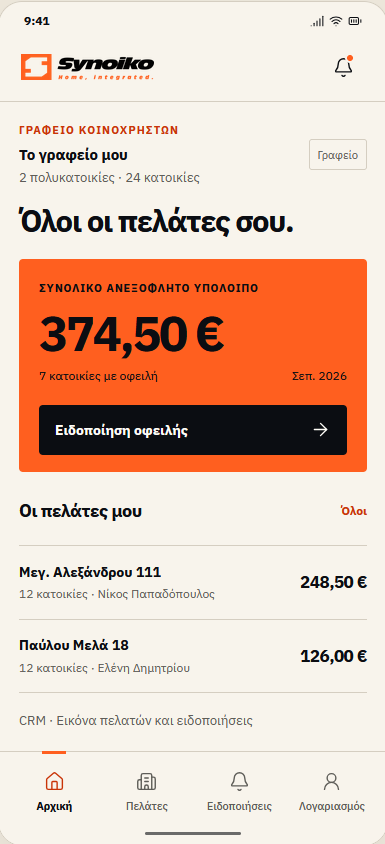
Synoiko is an independent product by Christos Sotiris. This case study uses demonstration workspaces and mobile design prototypes in light mode.
02 / Behind the interface
The decisions
are the design.
The important work happens between the brief and the finished screen: deciding what belongs together, what needs emphasis and how an interface holds its shape as the context changes.
One identity.
A connected interface language.
Visible in the productThe orange accent, typography, numbered navigation and fine dividing rules carry a recognisable identity through different workspaces.
Different roles.
Different priorities.
Visible in the productThe office overview and resident workspace use different navigation depth and summaries. The hierarchy follows the person’s responsibilities.
Complex information.
A deliberate reading order.
Visible in the productWorkspace context comes first, then priorities and grouped summaries. Labels and spacing carry as much weight as colour.
03 / Designed to be built
The detail
survives the build.
For a development team, the interface is a set of behaviours as well as a visual direction. Layout, interaction states, assets and implementation notes belong in the conversation from the start.
A small interaction.
A complete set of considerations.
Try the contact link alongside this text. Hover it, reach it with your keyboard, or use the site’s Motion switch. The action stays clear as the interaction changes.
A working example from this page: a clear destination, visible focus and motion that respects the visitor’s preferences.
LIVE COMPONENT / CONTACT LINK
Tell me what you’re building- Keyboard
- Visible focus outline
- Touch
- 56px minimum height
- Motion
- Reduced-motion support
- Destination
- Existing project enquiry
Define the scope.
Agree the key flows, screen set, breakpoints and review rounds around the product’s actual needs.
Make states explicit.
Specify the relevant empty, loading, error and interaction states within the agreed design scope.
Prepare the handover.
Agree organised files, assets and implementation notes with the team. Tools and formats follow the project.
Your product / The next conversation
Tell me what
you’re building.
A SaaS interface, a website or a visual identity. Share the product, the design scope and your intended timeline through the project enquiry form.